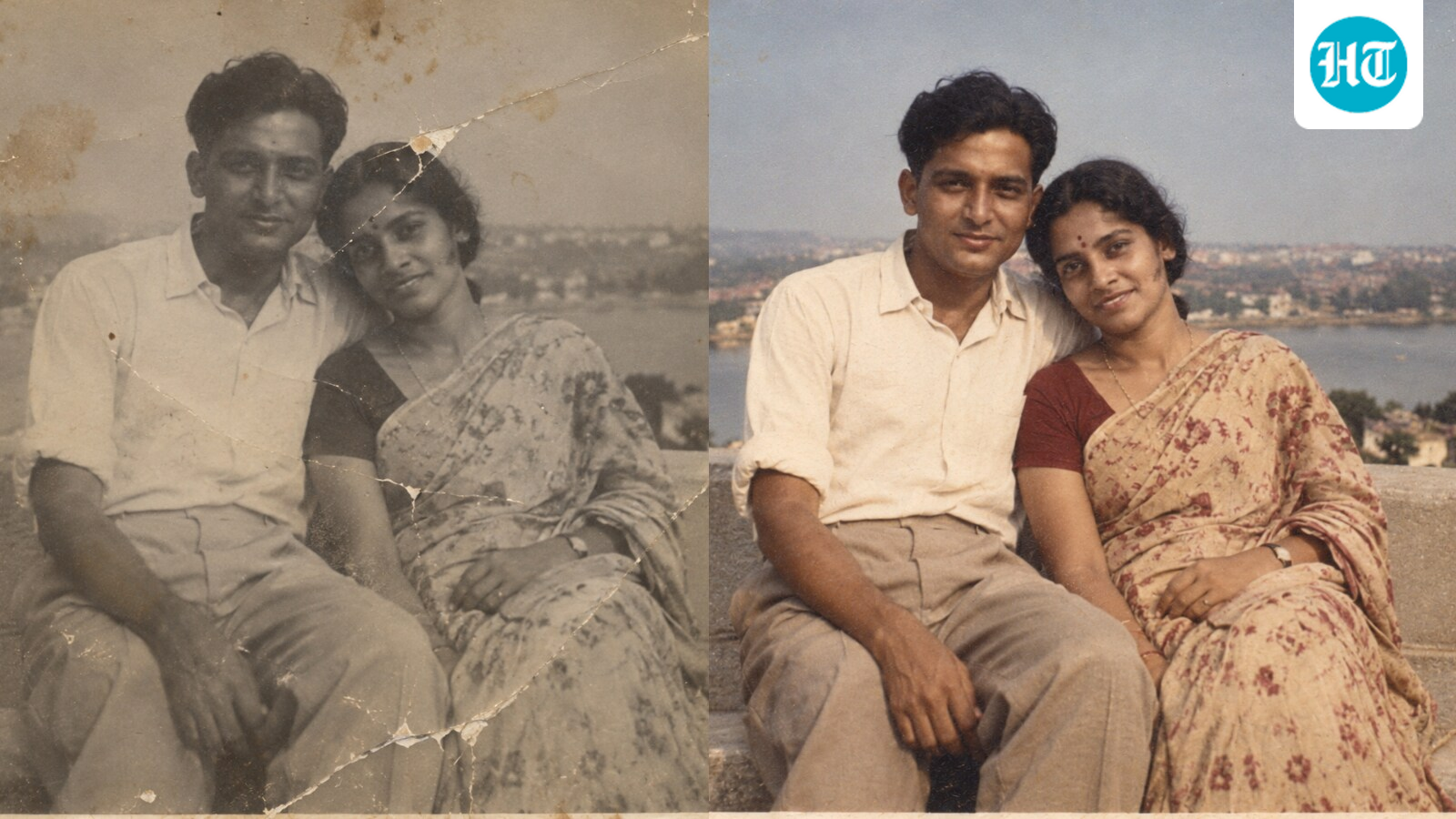
Old photographs buried under the milky film of dusty albums have a way of becoming more precious with time. Unfortunately, the same cannot always be said about their conditions. Like the people frozen inside those stills, the photographs themselves have endured the years, bearing the marks of time.
If you have a box of old family photographs waiting to be rediscovered, here are five ChatGPT prompts to help give them a careful digital restoration.
ALSO READ: 1980s AI Photo Trend: 5 ChatGPT prompts to create Bollywood hero, heroine looks, movie posters
If your photograph has visible signs of wear and tear but is otherwise intact, this prompt is a good place to start:
“Restore this photograph while preserving the original appearance and identity. Remove scratches, dust, stains, tears, fading, creases and other signs of physical damage. Repair missing or damaged areas naturally, improve contrast and exposure, and recover Details that have been lost over time. Do not change facial features, expressions, body proportions, clothing, hairstyle or the composition of the photograph.”
More often than not, a family photo taken by a random stranger outside an overcrowded monument can turn out blurry and shaky. If the photograph is otherwise good but lacks sharpness, use this prompt to reduce haze, noise and softness:
"Improve the sharpness and clarity of this photograph while keeping it authentic. Reduce blur, haze, noise and softness, and enhance fine details without making the image look artificially processed. Preserve the exact facial identities, expressions, skin texture, clothing and background. Do not invent or modify facial features. The final result should look like a clearer, higher-quality version of the original photograph.”
ALSO READ: Making AI 1980s photos? ChatGPT has a warning about your pictures
Some of the oldest family photographs are black and white, and adding colour can offer a different way to experience these memories. However, simply asking AI to “add colour” can sometimes result in overly bright or unrealistic results. For a more natural finish try this prompt:
“Colourise this black-and-white photograph with realistic, historically appropriate colours. Keep the facial features, expressions, skin tones, clothing, hairstyles and surroundings unchanged. Use natural-looking colours rather than overly saturated tones. Consider the likely era, lighting and photographic conditions when choosing colours. Do not add, remove or redesign any objects or people. Make the result feel like an authentic colour photograph from the same moment.”
The most difficult photographs to restore are often those where scratches, tears or stains run directly across someone's face. In these cases, it is important to tell the AI not to fill in missing details with invented facial features. This prompt takes a more conservative approach:
“Restore this photograph conservatively. Where facial details are damaged or missing, prioritize preserving the person’s original identity over creating new detail. Do not guess, beautify or redesign facial features. Only reconstruct details that can be reasonably inferred from the surrounding image. Clearly preserve any unavoidable imperfections rather than replacing them with invented features.”
ALSO READ: Retro AI photo prompts: Step-by-step guide to channel 1980s Doordarshan nostalgia
This all-in-one prompt combines restoration, colourisation and enhancement while asking the AI to retain the photograph's vintage character:
“Restore and colourise this old photograph while preserving its original character and historical feel. Remove damage such as scratches, stains, fading and dust, improve clarity and contrast, and add subtle, realistic colours. Preserve the identity and appearance of Every person exactly. Do not modernise hairstyles, clothing, makeup, backgrounds or facial features. Retain a subtle amount of natural photographic grain so the image still feels like an old photograph rather than a newly generated digital image.”